1. Connect
Creative: Point Kumiho at your storage: local disk, NAS, or S3.
AI: Connect via MCP, Python SDK, or REST API.
Shared: Your data stays where it is. Kumiho tracks the history layer.
One architecture. Two superpowers.
One system for versioning creative work and persistent, auditable memory for your AI assistants.
Free tier available. Start with one folder or one MCP connection.
Creative revision history
AI memory graph

Session Memory
graph-nativeSame graph. Same API. Same provenance guarantees.
Choose your entry point. Both run on the same graph-native foundation.
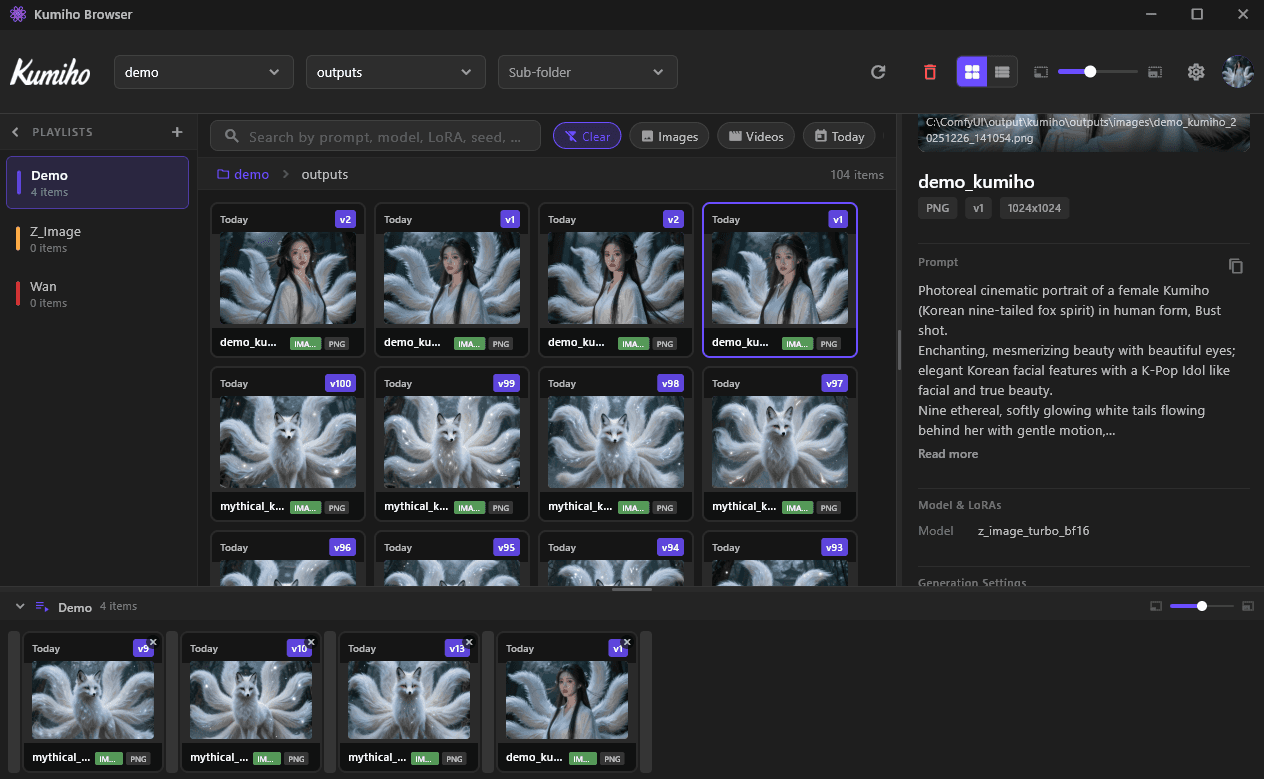
Track every revision of every asset: models, textures, renders, and AI outputs. Keep full history, attached metadata, and visible dependencies without moving files.
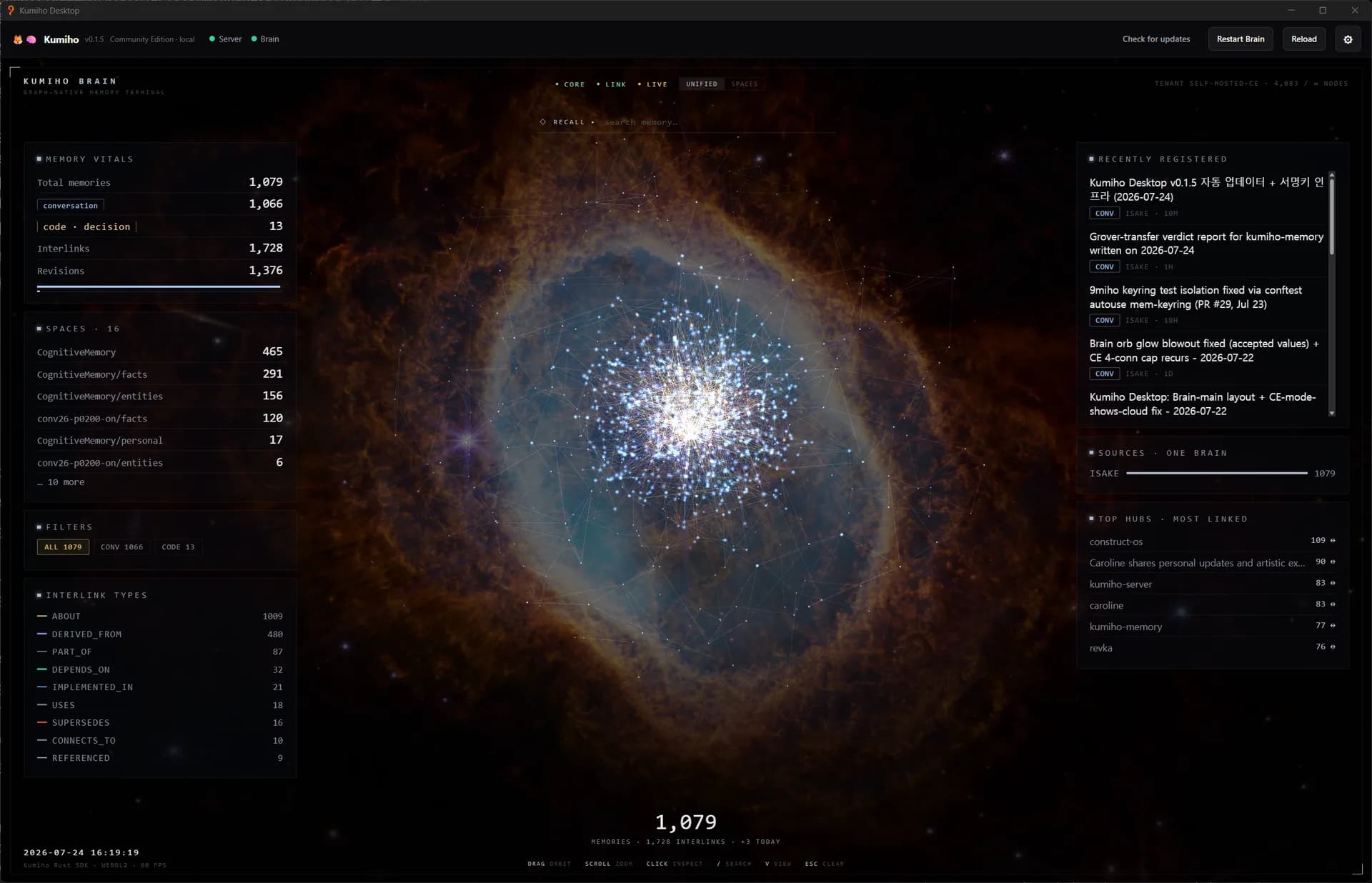
See how it works for creatorsGive assistants memory that survives sessions, model upgrades, and context limits. Graph-native, auditable, and decoupled from any single LLM provider.
See how it works for AIOne flow, two applications.
Creative: Point Kumiho at your storage: local disk, NAS, or S3.
AI: Connect via MCP, Python SDK, or REST API.
Shared: Your data stays where it is. Kumiho tracks the history layer.
Creative: Every save becomes a revision with prompts, metadata, and parameters attached.
AI: Every decision, preference, and fact becomes a versioned memory node.
Shared: Immutable revisions. Typed dependencies. Full provenance.
Creative: Search any version, trace dependencies, and automate on change.
AI: Recall context across sessions, traverse reasoning chains, and consolidate overnight.
Shared: One query surface for history, causality, and impact.
One graph that answers 'what happened, why, and what depends on it.'
Whether you're tracking creative assets or AI reasoning, the failure mode is the same.
Creative: Versions explode. Metadata disappears. Nobody knows what depends on what.
AI: Context windows reset. Memories hallucinate. Decisions have no provenance.
Shared: You can't reason about what you can't trace.
Every output becomes a versioned node with metadata attached.
Relationships are explicit and typed, not inferred from embeddings alone.
History is immutable. Beliefs evolve through revisions, not overwrites.
Dream State consolidation runs async: enrich, link, and prune with safety guards.
Memory lives in the graph, not a model context window. Switch providers and your history stays intact.
Raw files stay on your disk, NAS, or S3. Kumiho tracks metadata and pointers with no forced uploads.
Nothing is silently overwritten. Every change creates a new revision with full auditability.
Edges like DEPENDS_ON, DERIVED_FROM, and SUPERSEDES encode why nodes are connected.
Full-text, graph traversal, and vector similarity are fused into a single relevance-ranked response.
Async consolidation enriches memory, links related items, and prunes noise while protecting published nodes.
Store summaries in the graph while full content remains local, reducing memory retrieval token cost.
Patent pending. Built on production asset management primitives proven in VFX and game studios.
Creators, studios, AI builders, and developers run on the same foundation.
Designed by pipeline engineers who've shipped production creative workflows, now extended to give AI agents the same rigor.
Sub-10ms graph queries at production scale
40-280x token compression vs raw context
Patent-pending architecture filed with USPTO
Set up in minutes without moving files
A direct view of what is built in versus what needs custom glue.
| Capability | Kumiho | Git LFS | Perforce | DAMs (Shotgrid, ftrack) |
|---|---|---|---|---|
| Files stay on your storage | Yes | No (repo) | No (depot) | No (upload) |
| Typed dependency tracking | Yes | No | No | Limited |
| Immutable revision history | Yes | Yes | Yes | Varies |
| AI-generated asset support | Native | No | No | Bolt-on |
| Metadata-first (no file moves) | Yes | No | No | No |
| Capability | Kumiho | Mem0 | Zep | LangGraph | Raw vector DB |
|---|---|---|---|---|---|
| LLM-decoupled | Yes | No | No | No | Yes |
| Graph-native (not just vectors) | Yes | No | Partial | Yes | No |
| Immutable revision history | Yes | No | No | No | No |
| Typed reasoning dependencies | Yes | No | No | Partial | No |
| BYO storage (local-first) | Yes | No | No | No | Depends |
| Async consolidation (Dream State) | Yes | No | No | No | No |
| Formal retrieval guarantees | Yes | No | No | No | No |
No. Files stay on your storage. Kumiho stores references, metadata, and revision history.
Yes. Start with one folder or one MCP connection and expand only when it proves value.
Yes. Published revisions are immutable and cannot be silently overwritten.
No. Kumiho complements existing DAM systems with versioning, lineage, and graph reasoning.
All of them. If you can reference a file, Kumiho can track it.
Both. Individuals use it for recall and reproducibility. Teams use it for governance and shared context.
Kumiho stores versioned, typed graph nodes with provenance and dependency tracking. Vector similarity is one retrieval mode, not the memory model.
Full conversations can stay local as markdown artifacts. Short structured summaries are what sync into the cloud graph.
Nothing breaks. Memory is graph-resident and model-agnostic, so history carries across provider and model changes.
Dream State is async consolidation that reviews memory, enriches metadata, links related items, and prunes noise with safety guards.
Use one MCP tool call or the Python SDK. A single memory_store operation can create item, revision, artifact, and edge relationships atomically.
Join creators, studios, and AI builders who trust Kumiho to remember what matters.
Free tier available. Start with one folder or one MCP connection.